top of page

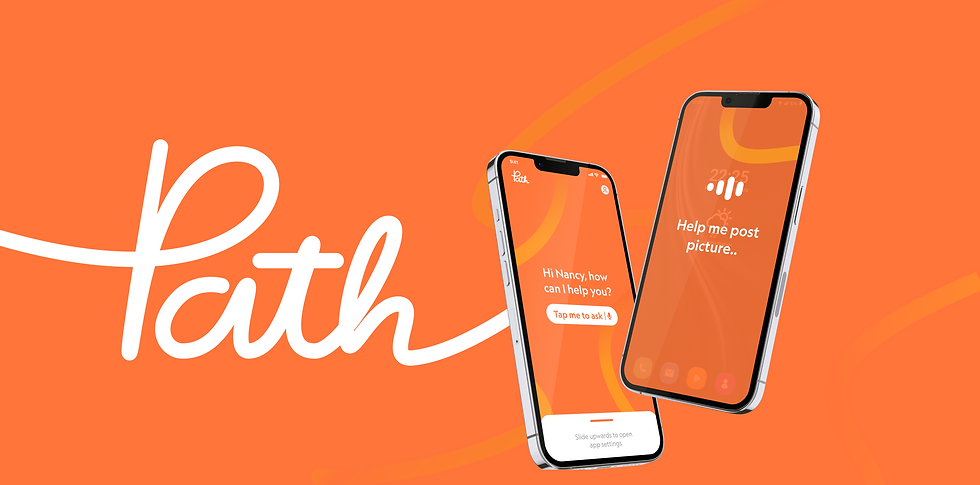
PATH
App Design & Branding | Lasalle College of The Arts
2024
Your digital family guide
This project came from observing how many seniors around us struggle with their devices. Younger generations often find it challenging to provide clear, simple guidance, especially when not physically present.
Drawing from this, we aimed to create an experience that mimics the step-by-step tutorials commonly offered on new platforms but tailored specifically for seniors. This solution ensures they receive the support they need, no matter the distance, empowering them to confidently navigate the digital world from anywhere

Project Details
Roles : UI/UX, Art Director
Recognition : Bronze Crowbar Award 2024

The Challenge
Singapore’s Senior Population Is Rapidly Growing

But...
70% Lack Basic Digital Literacy
Thousands of New Apps every year, Create Overwhelm
Current senior technologies failing to adapt to each apps
This Leads to Frustration, Isolation, and Loss of Confidence
Case Study Video
The Solutions


An app that helps seniors learn to use their own device. Path is an innovative app designed to empower seniors by simplifying the digital world through real-time, interactive step-by-step tutorials, supported by Gemini, Google's newest AI technology. By understanding and addressing the specific needs of seniors, Path ensures that seniors are not only able to tackle common technological issues but also explore the vast resources of the internet confidently and independently. It transforms anxieties into empowering experiences, keeping seniors connected in the digital age
Seniors just need to ask any question and the app will scan their screen and they will be guided step-by-step, as if by a trusted relative, empowering them to explore the digital world confidently and without fear

The app’s features were designed with a strong focus on accessibility, paired with easy-to-use and approachable settings to ensure a seamless experience for all users
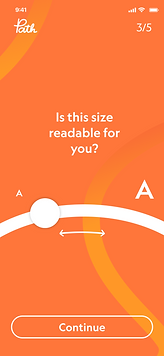

Font Size Adjustment | First time download QnA

Visual Cue, that leads the user’s eyes naturally toward the CTA button


Voice or Text Guidance | In-app
Deliverables

Full brand book showcasing the integration of the main brand element, “the line,” across every aspect of the brand
Digital & Physical Marketing Activations


Tailored to two distinct audiences
1.
Highlighting the app’s warmth and trust by showcasing how family members can safely guide their loved ones
Teaser
2.
Empowering seniors by promoting the freedom and confidence gained through embracing technology
App Tutorial

Our aim is to share more opportunities for Seniors to explore internet like youngster did. Giving a comforting, patience, trust, and warmth guidance that feels like being guided by our own family members

Curious to learn More?

bottom of page